
Search these docs, or ask Revo a question — answers link the pages they came from.
SICK CLV503
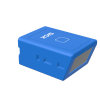 SICK SICK CLV503 Fixed-mount barcode scanner, 50–630 mm, up to 100 Hz.
The SICK CLV503 is a fixed-mount barcode scanner from SICK’s CLV50x family. In a Revolution cell it reads labware barcodes as labware passes a fixed reading position.
At a glance
Section titled “At a glance”| Supported model | CLV503-0000 (SICK part no. 1046315), RS-232 |
| Reading distance | 50 mm – 630 mm |
| Code resolution | 0.15 mm – 1 mm |
| Scanning frequency | ≤ 100 Hz |
| Aperture angle | ≤ 44° |
| Revolution control | Barcode reads are requested by the system; one test operation for commissioning |
Specifications
Section titled “Specifications”SICK describes the 100 Hz scanning frequency as suited to slow-moving applications — items moving slowly past the scanner. That fits labware presented by a robot or on a short conveyor; it is worth knowing if you were planning a fast-moving transport.
How Revolution uses it
Section titled “How Revolution uses it”A barcode reader is not a scheduled instrument. It implements Revolution’s barcode-read contract, so the system asks it for a barcode when a workflow needs one. You do not call a read from a method.
One operation is exposed, for commissioning:
- Test bar code reader — trigger a read with a timeout and report what came back. Use this to confirm aim, distance and label quality before relying on the reader in a schedule.
Integration
Section titled “Integration”Revolution talks to the CLV503 over a serial (RS-232) connection. For each read it sends the
reader’s serial trigger-start command (ESC Z CR), waits for a barcode terminated by a carriage
return, then sends trigger-stop (ESC Y CR). These commands are from SICK’s CLV503/CLV505 quick
start guide (RS-232 interface section).
If no barcode arrives within the timeout, the read reports a no-read. A serial fault, or a partial response without the terminator, is reported as a device error, never as a no-read.
Prerequisites
Section titled “Prerequisites”- The reader must be cabled to the Revolution host and its port settings known before the device is initialised.
- Mount the reader so labware passes within the stated 50–630 mm reading distance, and so the label falls inside the ≤ 44° aperture.
- Configure the reader to end each barcode with a carriage return, and set its baud rate, data bits, parity and stop bits to match the device’s COM Port Settings in Revolution.
- Barcode density must be within the stated 0.15–1 mm code resolution. A very fine barcode on a small tube can fall below it.
Device configuration
Section titled “Device configuration”| Property | Purpose |
|---|---|
| COM Port Settings | Serial port and line settings for the reader |
If you need more of this instrument driven from a schedule, get in touch — the driver is extended on demand.